The acquisition funnel
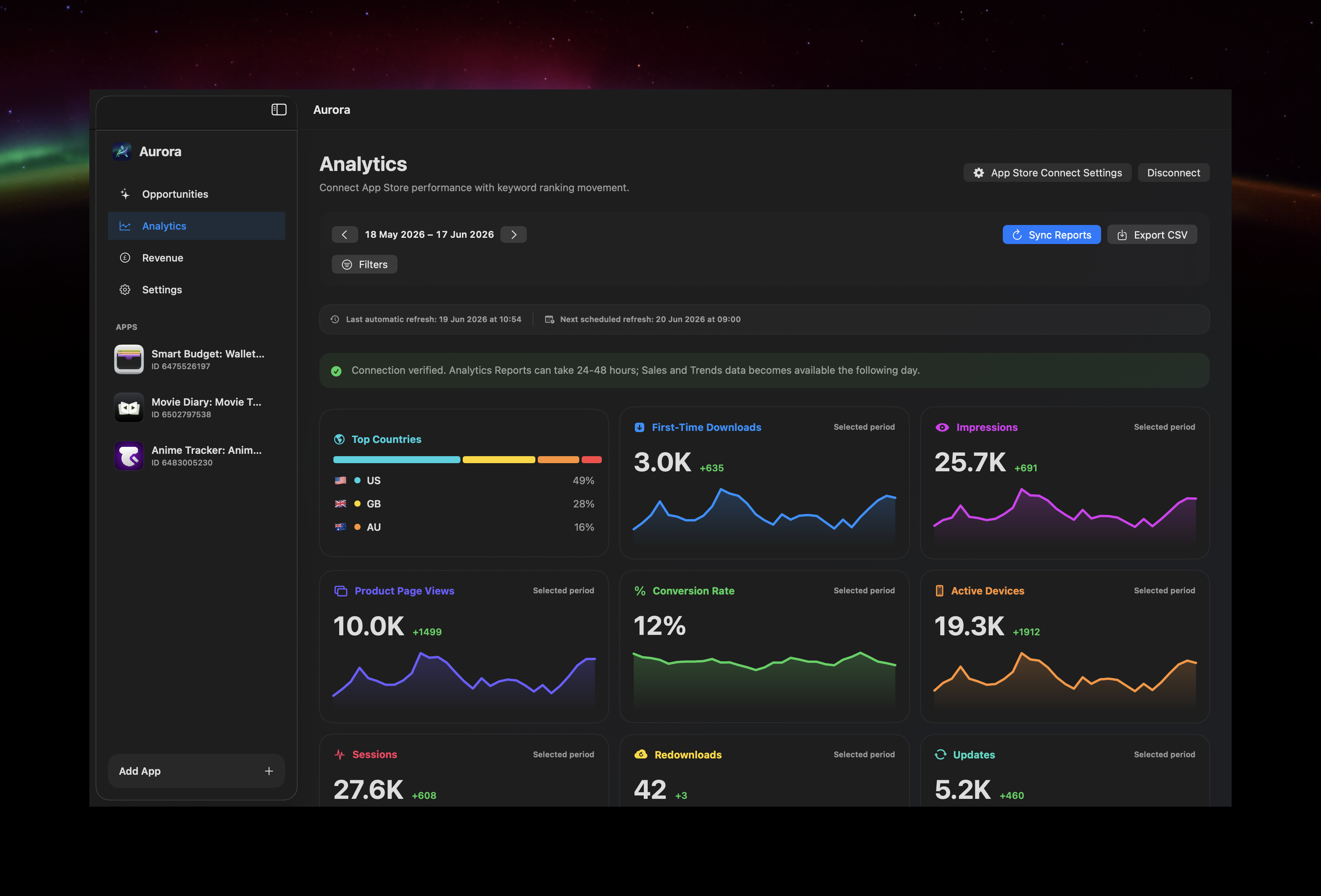
Start with four questions: was the app shown, did someone visit the product page, did they download it, and did they continue using it? The useful metrics follow that sequence.
| Stage | Useful metrics | Question |
|---|---|---|
| Discovery | Impressions and source type | Where was the app visible? |
| Consideration | Product page views | Did visibility create interest? |
| Acquisition | First-time downloads and conversion | Did visitors install? |
| Engagement | Sessions, active devices and retention | Did the acquired audience use the app? |
| Monetisation | Sales, proceeds and subscriptions | Did usage become commercial value? |
Do not compare incomplete days
Apple states that Analytics Reports data for a given day is considered complete two days after the reporting date. Recent values can therefore change as reports are prepared. Compare completed periods and avoid treating the newest point as final.
Understand privacy-protected gaps
Usage reports are privacy protected. Apple explains that detailed reports can omit low-volume rows, some reports require minimum thresholds, and a small amount of statistical noise may be added. A missing value is not always a genuine zero.
This distinction matters for smaller apps. Store unavailable data separately from a measured zero, especially when charting sessions or active devices.
Use filters to test explanations
When a total changes, segment it. Territory can reveal localisation effects; source type can distinguish search from browsing or external traffic; app version and device can identify engagement changes after a release. Change one dimension at a time so the explanation remains understandable.
Connect ASO with analytics carefully
If a keyword rank improves and search impressions rise, the two observations support a visibility explanation. If product page views rise without downloads, examine screenshots, positioning and relevance. If downloads rise but retention weakens, the acquisition promise may not match the product experience.
Correlation is not attribution. App Store Connect does not provide a complete organic download count for every individual keyword, so avoid claiming that one rank movement directly caused a precise number of installs.
Ongoing and historical reports
Apple's Analytics Reports API supports ongoing requests and one-time historical snapshots. Ongoing requests generate recurring reports; historical snapshots can backfill older availability. Preserve imported ongoing data locally if you want a longer continuous history than the currently retrievable report instances.
A monthly review
- Wait for the reporting period to complete.
- Compare discovery, acquisition and engagement with the previous equivalent period.
- Segment the largest changes.
- Review releases, featuring, campaigns and metadata experiments.
- Write down one hypothesis and one action rather than changing everything.
Primary sources: Apple's App Store Connect Analytics guide and Analytics Reports API overview.